Learn · For teachers
For teachers
Plan five classes over eight weeks. Students keep their notebook on their device and send you a link.
- Five classes, eight weeks
- Phones or Chromebooks
- No student accounts
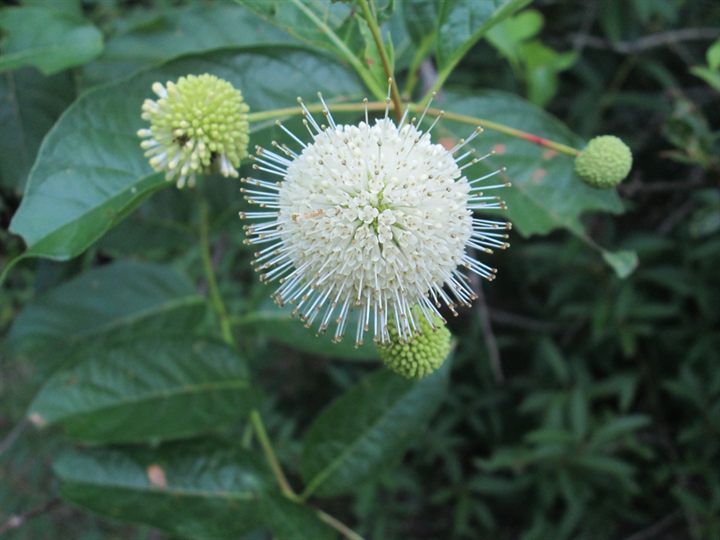
- Flower headsFirst look
- Fruit headsAlso follow
- LeavesAlso follow
- BranchesContext
Run the unit
Students follow one real plant in four steps. Test happens in the Weather lab. The other steps are in My plant.
- 1 Observe
- Pairs choose a plant near school and mark four branches. The first visit takes 20–30 minutes.
- 2 Test
- In the Weather lab they go to the same day in 2025 and answer the same questions.
- 3 Explain
- They compare their plant with the lab record, say why they might differ and write a new idea.
- 4 Return
- They visit the same plant again, compare, and send you a link.
- Plan at least one visit a week. Reminders are not sent automatically.
Eight weeks, five classes
Between classes, pairs visit their plant every week and use the site.
- Class 1 · Weeks 1–2
- Introduce the eight weeks, the plants and the site. Pairs choose a plant and visit it. In Week 2 they share their first visit.
- Class 2 · Weeks 3–4
- Teach how temperature, rain and daily sunshine change a plant. Pairs try this in the Weather lab and write what they expect. In Week 4 they share any gap.
- Class 3 · Week 5
- Pairs guess when their plant will change next, then discuss with classmates who guessed differently, using their evidence.
- Class 4 · Week 6
- Pairs build their own model of how their plant will change, from what they saw, and keep comparing it with the lab and the real plant.
- Class 5 · Weeks 7–8
- Pairs present their model and finish a report with its evidence. In the last week, wrap up with what else changes plants, including climate change and recent local examples.
Set up each device
Students need no account. Their notebook stays on the device they use.
- The help level, the age band, the unit start and the model level are set on each student’s device, at the foot of My plant.
- On a shared computer, start each learner with a fresh notebook.
Levels
A level sets how much of the model a student sees and can change.
- Level 1 · Look
- Pictures and one slider.
- Level 2 · Test
- The model’s reasons, the ribbon and your plant’s site.
- Level 3 · Tune
- Change the model’s own numbers and run your version beside the standard one.
- A student can only ask. You open a level.
Open students’ work
A student’s link holds their record. Nothing is stored on a server.
- Open it on the turn-in page, then print it or save it as a PDF.
- Rate it at Classes 1, 3 and 5: four dimensions, 0–2 each, kept on your device.
- Class sign-in with a code is coming later.
Try it before class
A worked year shows made-up visits and ideas from the earlier warmer-year activity. It holds no student data.
End of the school year
Download each learner’s notebook, then clear every shared device. The steps are on My notebook.
Sources and privacy
Every number has a source. The privacy section lists what stays on the device and what can leave it.