Learn · Guide · Practice
Student & teacher guide
How the four steps work: Observe, Test, Explain and Return. Teacher notes at the end.
- 10 min read
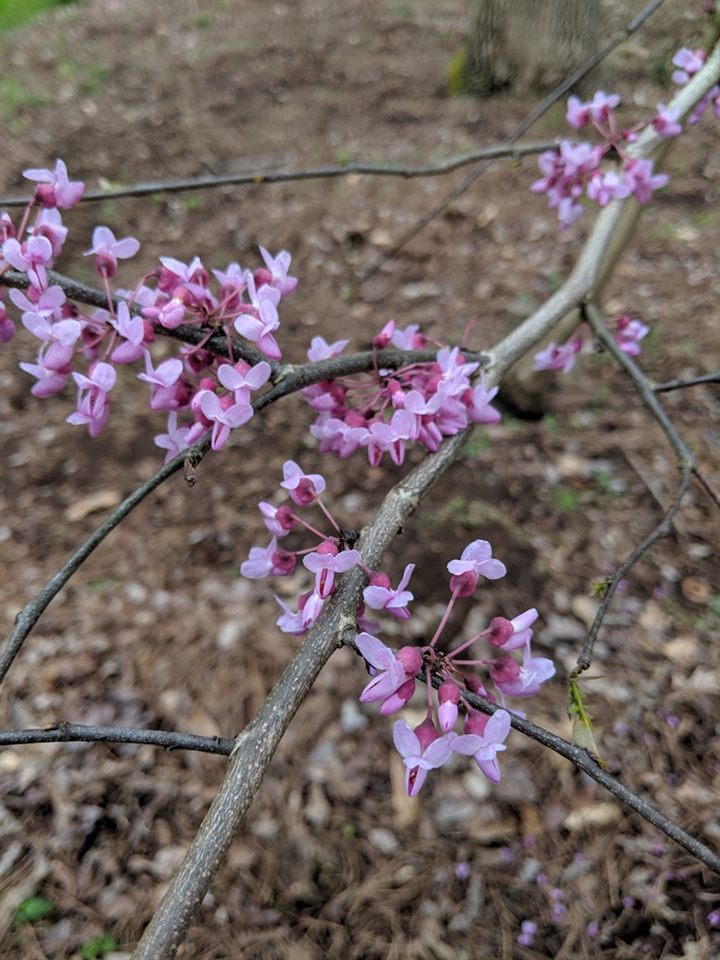
- FlowersFirst look
- LeavesAlso follow
- Seed podsAlso follow
- BranchContext
Start with a practice visit.
You are following the practice guide. Practice has its own notebook. Label invented observations as practice; never submit them as field evidence. The links below keep you in practice.
Two clocks: your visit uses real Philadelphia time. The Weather lab uses the recorded weather of 2025. It cannot tell you what will happen to your plant next week.
1. Observe: choose a plant and save your first idea.
Give one plant a school-approved nickname. Use the same branch, stem or patch and photo viewpoint each time. Choose a candidate species with your teacher; record an uncertain identity as unknown.
Describe first, explain second. “In photo B, one bud on the same twig is wider than in photo A. I can see a pale edge between its scales.” That is visible evidence. “A warmer week might matter” is a possible cause; the photo alone does not measure temperature or rule out other causes.
Do not infer a temperature cause from leaf colour alone. “Uncertain” and “not observed” are useful records, and no visible change is a valid result.
- Notice: describe a visible detail and the date. Record what you did not check as “not observed.”
- Explain: suggest one possible reason, keeping it separate from the description.
- Predict: say what you expect to change and what would challenge that prediction.
Save your first idea before viewing model output. Its original evidence and prediction stay preserved. Do not invent temperature, humidity or root-water measurements to complete the form.
2. Test: look at the same day in 2025.
Open the Weather lab and go to today’s month and day in 2025. Look at the model tree, from the whole tree to one leaf. Then look back and ahead to see how 2025 went. Answer the same questions you answered at your plant.
What you see in the lab is model evidence. Your answers are saved as a lab record, apart from your field notes.
What if my plant cannot use the teaching model?
Continue observing it. The current plant-process model is an uncalibrated deciduous teaching proxy. Choosing a species does not supply species-specific parameters. An observation-only plant can support field comparisons without a simulated plant diagnosis.
3. Explain: compare, then say why.
Compare what you saw with your lab record for the same day. They may differ, because 2025 is a different year, or because the site or the species differs. A difference is something to explain. It does not mean your observation was wrong.
- Compare: what agrees or differs, and are the conditions comparable?
- Explain: keep or revise your explanation; include another possible cause.
- Plan: name missing evidence and your next real observation.
Save your new idea. Ask a partner to point to a dated visit before they question your idea. Peer discussion saved here stays local; Xeed does not send it to your partner.
4. Return: compare again and keep a copy.
At the next real visit, select the earlier visit and start a linked return for the same plant. Save a new first idea before reflecting. Compare the earlier prediction with the new evidence: consistent, different, no visible change or insufficient evidence are all valid outcomes. Each time you return, look at the same day in theWeather lab again.
Use Send to teacher to share your notes. Download a backup too. Downloads do not submit an assignment or create a cloud archive.
Continue on another browser or device
Download all paired JSON data first. On the other device, open the same notebook mode, choose the JSON file under Restore from a file, review the import preview and confirm. Practice and field data stay separate. Keep your original file until you have checked the restored records.
If Xeed reports that a save failed, download the recovery copy before leaving. Browser storage can be cleared; it is not a class backup. The photo field stores a reference, not the image file.
For teachers: make the comparison useful.
Begin with one accessible plant, one repeatable feature and one question. The lesson sequence and assessment suggestions below are proposed; they have not been evaluated with students.
This is the practice guide. Switch to My plant once a plant, a protocol and a return schedule are agreed.
Before the first field visit
- Confirm an accessible observation site and plant identity; choose a species-appropriate observation protocol.
- Model a description beside a causal explanation. Agree on a repeatable viewpoint and how to record unknowns.
- Set the class return schedule, summer handover, photo storage and school submission process. These are not automated in Xeed.
- Try the four steps yourself on one plant before class. For observation-only plants, use dated field comparisons without claiming modelled physiology.
- Data and consent: read What Xeed stores and shares below, and follow your school’s rules for student data and parent notice before students make turn-in links.
Turn-in links, shared devices and the end of the year
A turn-in link holds the student’s record inside the link itself; nothing is uploaded. Anyone who has the link can read it, so students use nicknames only and paste it only into your class system’s assignment box, never a public chat. Links are not tamper-proof: a student could edit one, so treat a link as the student’s own copy, not a verified record.
On a shared computer every student who uses the same browser profile sees the same notes. Give each student their own profile or guest session where you can, and have students use Not you? Start a fresh notebook on My notebook when a device changes hands.
- At the end of the year, have students download their notes (My notebook, Download everything).
- Delete turn-in links from your inbox and class system; Xeed cannot reach them.
- On each classroom device use End of school year on My notebook; a record added to your own notebook from a turn-in page goes the same way.
Questions to use during the activity
- Which sentence describes something you actually observed?
- Where do your plant and the lab record differ on the same day?
- Are the year, plant, site and time window comparable?
- What else could explain the same visible change?
- What could you check next to distinguish the explanations?
Use the Compare page as the thing students talk about. AR/VR may later present or support interaction with it; it does not replace the observation, comparison or revision task.
What to assess, and what the prototype cannot establish
Compare the first idea with the new idea for evidence, a fair comparison, other explanations, doubt and a next observation you can test. Look for reasoned retention as well as revision; agreement with the model is not the learning target.
A single weather event or year does not establish a climate trend. Airport weather is a regional reference, not a plant-site measurement. The model and visual mapping do not diagnose disease, forecast a real plant or establish a causal explanation. Software checks do not demonstrate learning gains.
Gather real usability and learning evidence before making effectiveness claims. Keep teacher feedback and archive copies in the school’s approved systems; this prototype has no authenticated teacher dashboard or automatic classroom sync.
What Xeed stores and shares
Draft register, pending the reviewed privacy notice. It names what this build keeps, where, and who can see it. Xeed has no legal department yet: no lawyer has reviewed this register or the notes it describes. That review is for later, before Xeed is used for research with a school.
For students
- My notebook stays in this browser on this device. Xeed’s server does not receive them.
- A turn-in link carries one plant’s record inside the link. Anyone who has the link can read it, so use nicknames only.
- Send a turn-in link only to your teacher, through your school’s class system. Never post it in a public chat or send it to a classmate.
- A teacher can write back in a link of their own. It carries only their words and the plant’s nickname, and nothing is uploaded.
- Use my camera: only movement is measured, on this device. No picture is stored or sent. Xeed never uses the microphone.
- The My notebook page can download each notebook and delete it from this device.
- A plant’s site stays on this device: its neighbourhood or a square of about 1 km, never the photo or its exact spot.
- For weather, your browser asks Xeed for one station’s data. Xeed sees which station, not your plant’s spot.
- By chance, your notebook gets one of two versions of a note about the model, to learn which helps more. It is never graded.
- Xeed has no legal team yet. The makers wrote these lines; a lawyer will review them later.
Full register · for teachers, parents and schools
On this device
| Key | What it holds | Kind |
|---|---|---|
xeed-6139-development-practice-v1 | Plant nicknames, visits, four marked branches and their bud or leaf stage (four leaves in older records), first looks (A), new ideas (B), weekly reflections, partner notes, notes a student kept from a teacher’s link, the autumn-note condition, the spring-note week and when it was first shown, help-level changes, the age band and unit start date a teacher set for the device, the new-case answer and, on a teacher’s device, rubric ratings for turn-ins. Beside them, under xeed-lab-notes-v1, lab records: what you recorded about the model tree in the Weather lab. Kept on this device. | My notebook |
xeed-lab-notes-v1 | What you recorded about the model tree in the Weather lab, by day. Kept apart from your field record, and only on this device. | My notebook |
xeed-6139-plant-site-v1 | For each plant: the kind of place, a pot’s size, three sun readings, what is near it, the site values worked out from public maps, a square of about 1 km or the neighbourhood picked, and the day a storm-broken shoot was found. Never the photo or its exact location. | My notebook |
xeed-6139-plant-loop-v1 | For each plant: for a visit day, the phase seen and the model’s phase, whether they fit, the reason chosen to check, the things to look for on the next visit with their answers, and (Level 1) a guess for the next visit picked as a picture. Nothing typed. | My notebook |
xeed-6139-four-leaf-draft-v1 | An observation in progress, until it is saved as A. | Goes with your notebook |
xeed-6139-selected-subject-v1 | Which plant the activity opens on. | Goes with your notebook |
xeed-6139-class-code | The class label typed for turn-in links. | Goes with your notebook |
xeed-6139-help-level | The help level My plant uses: it steps with the evidence in each new idea, or a teacher sets it. | Goes with your notebook |
xeed-educ6139-climate-inquiry-v2 | The earlier warmer-year notebook: visits, model runs and reports. It takes no new records. | My notebook |
xeed-educ6139-climate-inquiry-v2-practice | Practice entries, kept apart from field work. | My notebook |
xeed.public-demo.study.v1 | The plants on /growth: their conditions and growth, plus any notes an earlier version kept. | My notebook |
xeed-educ6139-annual-v2 | Older full-year trials and visits (read-only). | Older notebook |
xeed-educ6139-annual-v2-practice | Older practice trials (read-only). | Older notebook |
xeed-educ6139-observation-loop-v1 | Older warmer-year visits (read-only). | Older notebook |
xeed-educ6139-climate-v1 | Twelve-day comparisons from the retired page. | Older notebook |
xeed-6139-field-mode | Whether the light outdoor palette is on. | Display setting |
xeed-6139-model-level-v1 | The model level a teacher set on this device, if any; learners cannot change it. | Display setting |
xeed-class-level-v1 | While a student is signed in to a class: the level the teacher set for the class, the level opened for this student, and which levels they asked for. No name or code. Removed at I’m done or when the session ends. | While signed in to a class |
xeed-6139-stage-plant | Which reference plant the weather stage shows. | Display setting |
xeed-motion | Calm or full motion. | Display setting |
xeed-wl-gfx | The graphics level chosen in the Weather lab: high, medium or low. | Display setting |
xeed.stage.quality | The graphics level the Weather lab picked for this device, the frame time it measured, how it measured it and when. | Display setting |
The My notebook page deletes any of these from this device, and clears them all for a new learner or at the end of the school year.
On the server
Off unless LIFE_AUTH_MODE=sites-proxy and a database are configured.
| Table | What it holds | How long |
|---|---|---|
studies | The signed-in Digital plant study. | Eligible for deletion 395 days after the last save |
organisms | One saved Filix life. | Eligible for deletion 395 days after the last save |
life_commits | The life’s numeric history; inquiry text as references only. | Deleted with its life |
kernel_organisms | One Xeed run by the life kernel: its starting state (a seed and its five values). | Eligible for deletion 395 days after the last save |
kernel_commands | The Xeed’s care record: watering amounts, touches, visits and event answers, with their times. | Deleted with its life |
kernel_preferences | How the owner’s Xeed is drawn: Aurelia or the red maple. | Eligible for deletion 395 days after the last save |
inquiries | The current inquiry: baseline, prediction, observations, revision. | Eligible for deletion 395 days after the last save |
inquiry_versions | Each saved version of an inquiry, the one place its text is kept. | Deleted with its life |
ai_runs | Follow-up question runs: hashes and references, the generated question. | Eligible for deletion after 90 days |
legacy_imports | A copy of an older study attached at import. | Deleted with its life |
behavior_runs | Movement decisions (numbers only). | Deleted with its life |
behavior_shadow_runs | Offline evaluation jobs (numbers and aliased ids). | Eligible for deletion after 90 days |
plant_dialogue_runs | AI text runs: the newest four per plant keep words and replies, older ones only time and cost. | Eligible for deletion after 30 days |
life_rate_limits | Save counters per minute. | Replaced each minute |
deletion_log | One row per deletion or purge: time, scope and row counts, no owner. | Kept; counts only |
Default windows, pending the owner's confirmation (XEED_RETENTION_* in days): study and life 395, follow-ups 90, AI text 30, shadow evaluations 90. When its window ends a row becomes eligible for deletion; until a scheduled job exists, the operator runs the purge, so nothing is removed automatically yet. Rows saved before this release have no expiry until the operator sets one. A deletion you ask for (Delete buttons, the DELETE routes) happens at once.
A turn-in link carries the record in its #fragment; the server never receives it.
Other services
- OpenAI Sites on Cloudflare Workers and D1: Every page request (IP address, URL); signed-in studies when sync is on. Always (hosting).
- OpenAI API (Responses, store: false): The words typed in the text experiment, the plant’s numbers and up to three earlier turns. Only for accounts on the server’s allowlist.
- NOAA (ACIS and NCEI weather records): Which weather station and year, asked by Xeed’s server, not by the learner’s browser. Never the plant’s place. When the plant–weather model needs a year of station weather.
Off unless XEED_TEXT_MODE=openai; then only for allowlisted accounts.
Two notes given by chance
- Spring: when a notebook first saves a visit, it gets Week 5 or Week 9, by chance, like a coin toss.
- From that week, step 02 shows a note about the model’s weather: one station, or one square kilometer.
- Autumn: when autumn is first chosen, a notebook gets, by chance, the model’s day-length note at the start or later.
- Why: to see whether the note, or when it comes, changes how students explain gaps between the model and their tree.
- Nothing else changes: the same steps, help and feedback. No group is graded or ranked.
- The group stays in the notebook and goes with a turn-in. The teacher’s class view does not show it.
- There is no opt-out yet except deleting the notebook. An opt-out comes before any study.
- A study needs the school’s approval, an ethics review (IRB) and notice to parents. None is in place yet.
- Xeed has no legal department yet. Until those reviews, the groups are a design test, not research.